Hey,
We’re back with our latest updates and announcements. Stay tuned to find out more!

We are Launching on Product Hunt! 🎉

We are launching Dyte's live video calling SDK on Product Hunt on the 30th of January! We will highly appreciate every bit of your support and feedback for the launch. Make sure to drop by and share your experience with Dyte and our team so far :)

Our coming soon page is now live, don't forget to subscribe here so you are notified on the launch day!

What’s new?

We’re constantly striving to make the Dyte experience as smooth and inventive as possible. The best way to enjoy this improved experience is through our UI Kits and Core SDKs. If you haven't updated to the latest version of our SDKs yet, you can do so now! 
*We are now deprecating our old prebuilt SDKs. Since we will soon be stopping support for them we request you to upgrade to our new SDKs and UI Kits. Reach out to us for any migration support required to move to the new UI Kits and core SDKs
Launching Sample Apps
Dyte sample apps help you utilise the capabilities of our UI Kits and SDKs to their full extent. You can download and install our sample apps in a few simple steps and play around with several functionalities to enjoy the best live video and voice experience.
v2 APIs
Our new Meetings, Sessions and Recording APIs (V2 APIs) now deliver enhanced performance coupled with simpler integration and consistent interfaces.

Read our documentation to understand and implement our next generation APIs!
All your recordings in one place
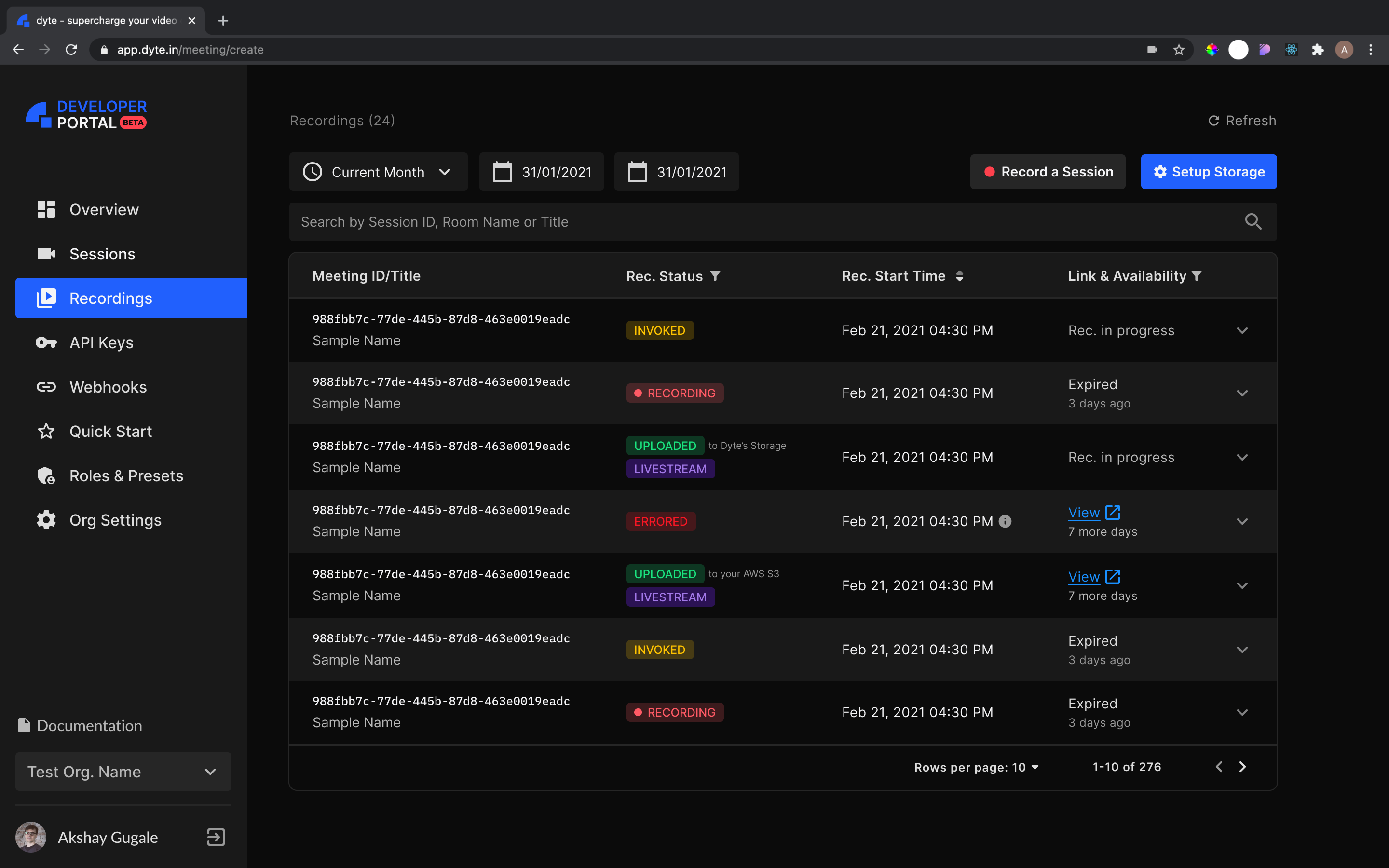
We have now added a Recordings page to the Developer portal. Through this page you can easily access all your past meeting recordings in a single place.
Recordings Page

Blog Roundup

This is a step-by-step guide on how to build a system that allows you to:
  • Schedule meetings with Dyte SDK
  • Build meeting URLs that anyone can join using any browser
  • Create private meetings that is restricted for the specific members, or make the meeting public so that anyone with a link can join the meeting
  • Send out meeting invitations via calendar or email
This blog helps you do a lot more with your Android apps. Dive into this blog to understand how you can integrate video conferencing to your Android application in just a few simple steps!
Steps to Develop a Video Chat Application in Android Using Dyte
Join our community for live updates and support from our team!  
Until next month 🥂 
Get started with your 10,000 free mins every month if you haven’t yet!