I'm super excited to be back again
with all the updates from our team!
Before I share what we've been upto,
I'd like to thank you all for your
continuous love and support for
Dyte. It's because of you that we
have the opportunity to do what we
love every day, and we are grateful
for the support, encouragement, and
feedback you give us. We really
appreciate it
♥️
It's been an exciting few weeks here
at Dyte! We had our first internal
conference, where we got to
celebrate all the amazing things
you've helped us achieve, and reveal
a few of our plans for the future.
But before I dive into it let me
show you some of the cool stuff
we've been upto:
|
We're a bunch of quality-obsessed
freaks; continuous improvement of
our product remains our key
priority, and we have some exciting
new features to share with you this
month. We suggest you update to the
latest version of our SDKs if you
haven't yet:
|
Revamped Developer
Portal
|
We have revamped our developer
portal! You can now enjoy a plethora
of brand new features offered by our
developer portal which includes:
-
New meetings dashboard:
With our new meetings dashboard,
you view all sessions for a
particular meeting, create a new
one or join an existing one
quickly and easily. Meetings are
just a few clicks away!
-
Better session
analytics:
-
View session specific
analytics: Get meeting
recordings, detailed list of
participants and a brief
summary after each session
-
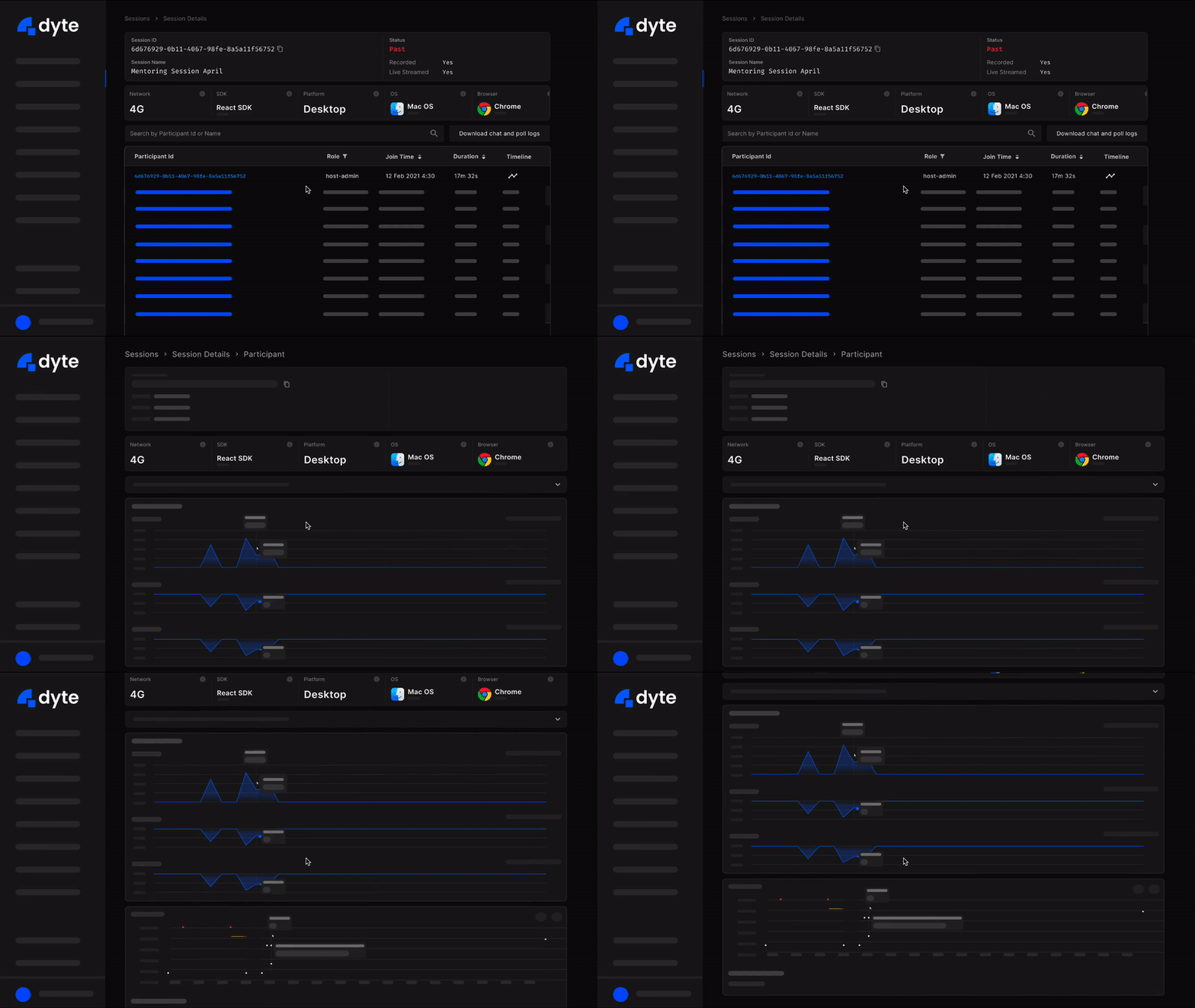
View session analytics for
each participant in the
session: View session
analytics for each participant
in the session. The event log
lets you see everything that
went down during the session.
Use our graphs to assess
meeting quality via packet
loss, audio score and video
score. Also get access to
location and device
information for every
participant.
-
Better onboarding:
Experience the absolute
capabilities of Dyte without
touching a single line of code!
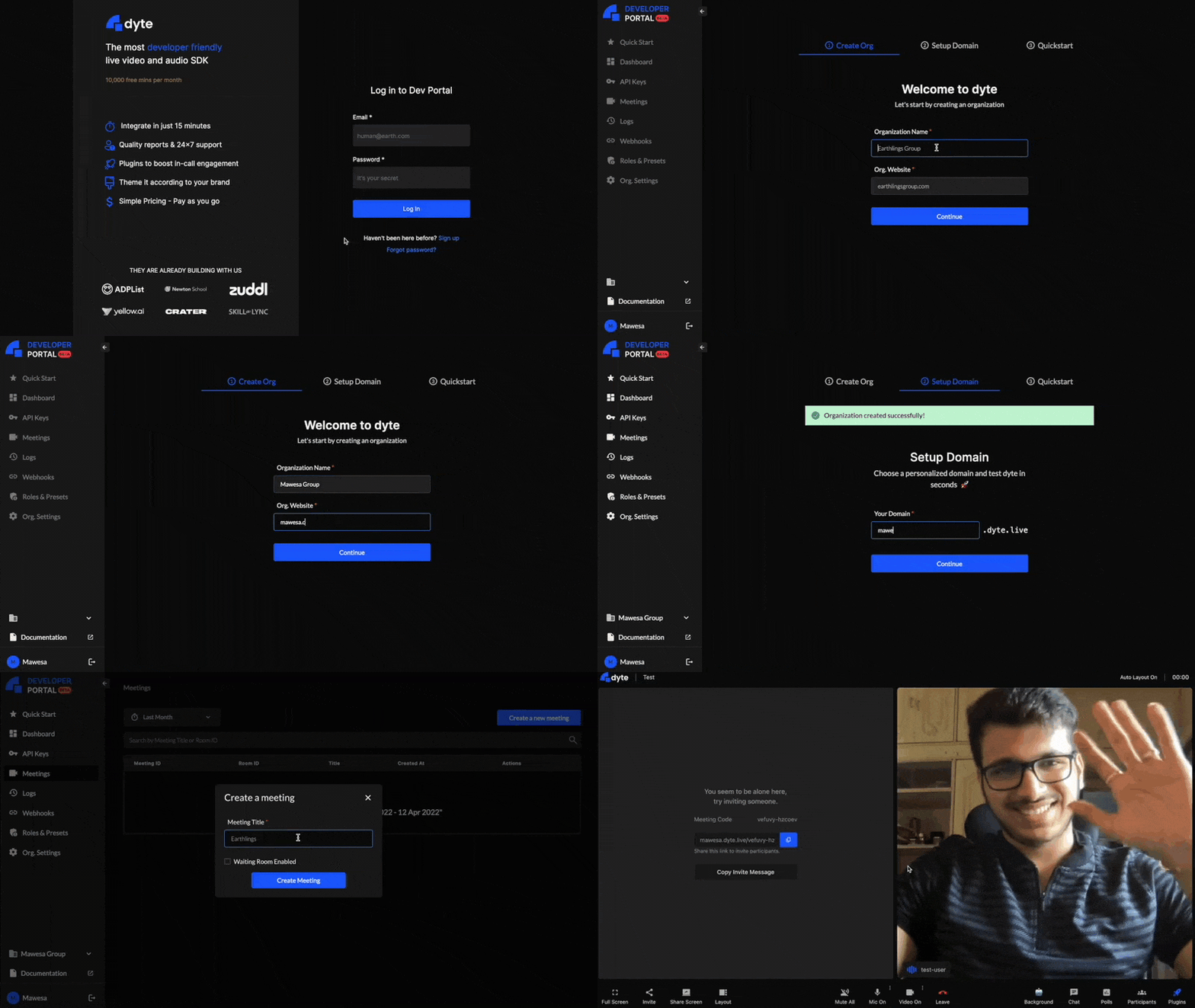
Onboarding your organisation is
now a breeze, with 3 simple steps:
-
Create your own organisation
-
Setup a custom domain
<org>.dyte.live
-
Test Dyte live, with your own
presets and configuration!
-
We have introduced a number of new
features to make it simpler and
more intuitive to use our
developer portal. New additions
include improved site search,
better navigation across the site,
easier sharing of URLs and an
improved responsive UI.
|
|
We know sometimes you can't put your
finger on it. You think you're doing
everything right, and yet things are
going wrong.
The good news is, we've created a
way to put your finger on it—and our
fingers on it, too!
We are now collecting metadata about
audio, video, and network
performance.
This data will be used to improve
our systems and will also power the
participant details page in the
developer portal. Plus: no need for
additional work on your part. That
way, your support engineers can do
the first level of debugging through
the developer portal itself, and
that means we can get your problems
solved faster!
We are initially rolling it out to
our web SDKs and then to our mobile
SDKs in the coming weeks. Happy
coding!
|
Open-sourcing our documentation
🎉
|
We’re excited to share that our
documentation portal is now
open-sourced! Head on over to
open-sourcing-dyte-docs to read more about how we built out
our documentation portal using
Tailwind, Spotlight and Docusaurus.
(Psst... Did we tell you we are a
docusaurus favourite? 🙈)
Being developers ourselves, we're
really happy to be able to share
this project with the open source
community and are looking forward to
seeing your contributions so don’t
forget to Fork us on GitHub and get
editing!
|
"I love making MoMs" said no one
ever.
Meetings are incomplete without
recordings, and we are here to give
you a peek into how we do it!
|
Take your collaborative experience a
notch higher with the Remote Browser
which allows multiple users to
co-browse the internet together.
In tandem with our principle of
letting you customise every part of
your experience with Dyte, we let
you customise the Remote Browser
too. You can choose the default web
page that pops up every time you
plug into our Remote browser or
block certain website URLs you don’t
want your users to navigate to, and
you can even control the extent of
access you give to your meeting
participants.
Why share screens back and forth
when you can just Dyte? Read more
about it
here.
|
Working remotely is great. You get
to work in your PJs, you can listen
to your own music, and you don't
have to deal with daily cab
negotiations. But there are still
downsides—it's harder to
collaborate, and you miss out on all
the little things that happen around
the office: quick chats in the
elevator, the chance to get feedback
from your coworkers, and meetings
that aren't centered around a
screen. For us at Dyte, we've always
known that one of our biggest
advantages is how much we connect
with each other as people and team
members. And so… we decided to bring
everyone together for our first ever
annual internal conference -
DyteCon!
We met up in Bangalore last month to
not only learn new things about each
other and our company but also to
have fun together. We spent time
analyzing our internal processes,
figuring out how we can work
together even better than before,
and discussing our future plans. It
was amazing to see everyone pitching
in and contributing towards the
conference as they actively tried
making the most out of it. We also
had a ton of planned activities
outside of work- we enjoyed plenty
of sushi, got tons of fun pictures
clicked (stay tuned XD), played
games and got to know each other
better!
Looking forward to many more of
these!
PS: Stay tuned for more!
|
Got any product related feedback
or feature request? Let us know here.
|
Get started with your 10,000 free
mins every month if you haven’t yet!
|
|
|
|
|